Google Chrome: removal of uBlock Origin and other unsupported extensions has started
Google Chrome: removal of uBlock Origin and other unsupported extensions has started
More and more Google Chrome users are receiving popup notifications that inform them that one or multiple extensions have been turned off because they are unsupported.
The popup is shown directly on start and lists all the extensions that were turned off. Google states "This extension is no longer supported" or "These extensions are no longer supported".
Tip: you can extend support by one year by following these instructions.
Google recommends that these get removed from Chrome. The popup highlights the remove option, but there is also a link to manage extensions.
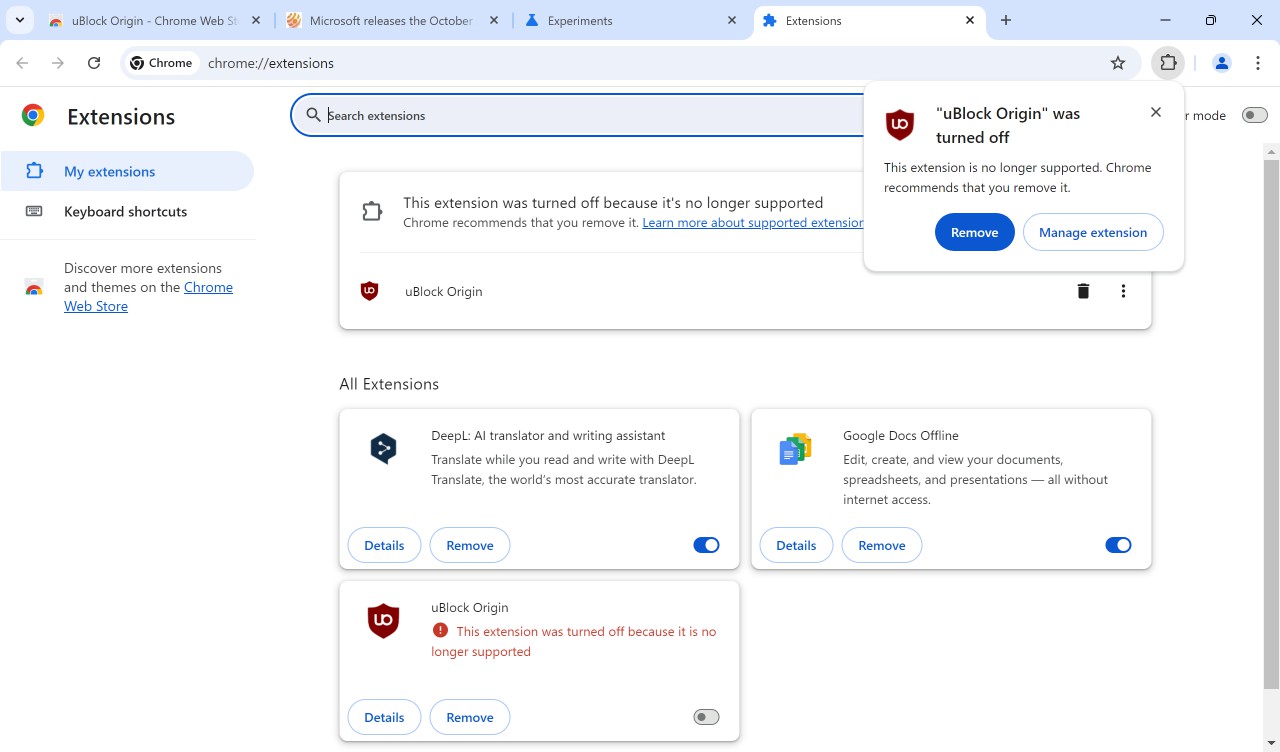
Note that the extension is already disabled. Even if you do not pick an action, the extension won't work anymore.
When you check the extensions listing, Chrome lists all disabled extensions at the top. At this stage, it is still possible to restore access to the extension, but this will only be an option for a short period.
Restoring turned off Chrome extensions
Here is how that is done:
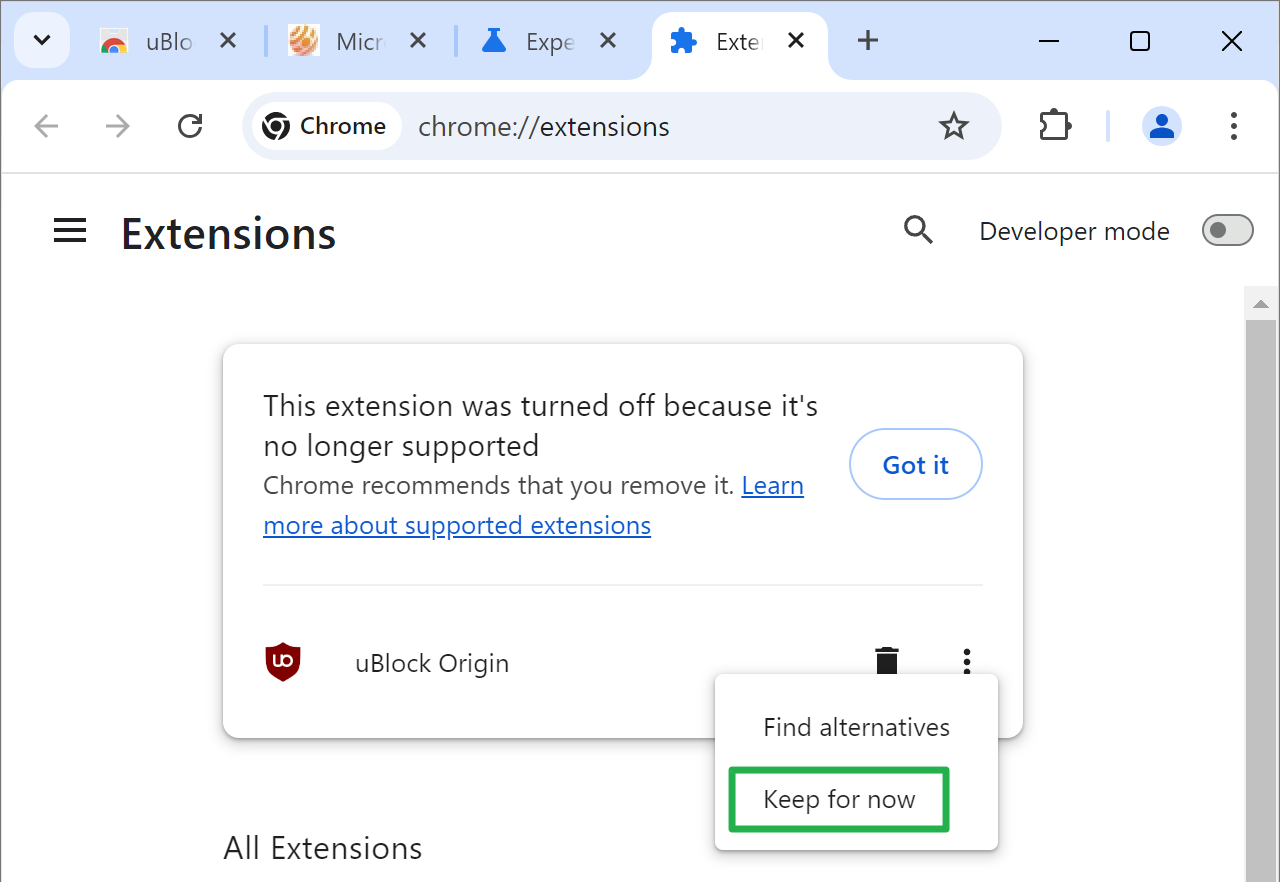
- Open the Manage Extensions page in Chrome. An easy option is to load chrome://extensions/, which opens it. You may also select Menu > Extensions > Manage Extensions.
- Activate the three-dots-icon next to the disabled extension.
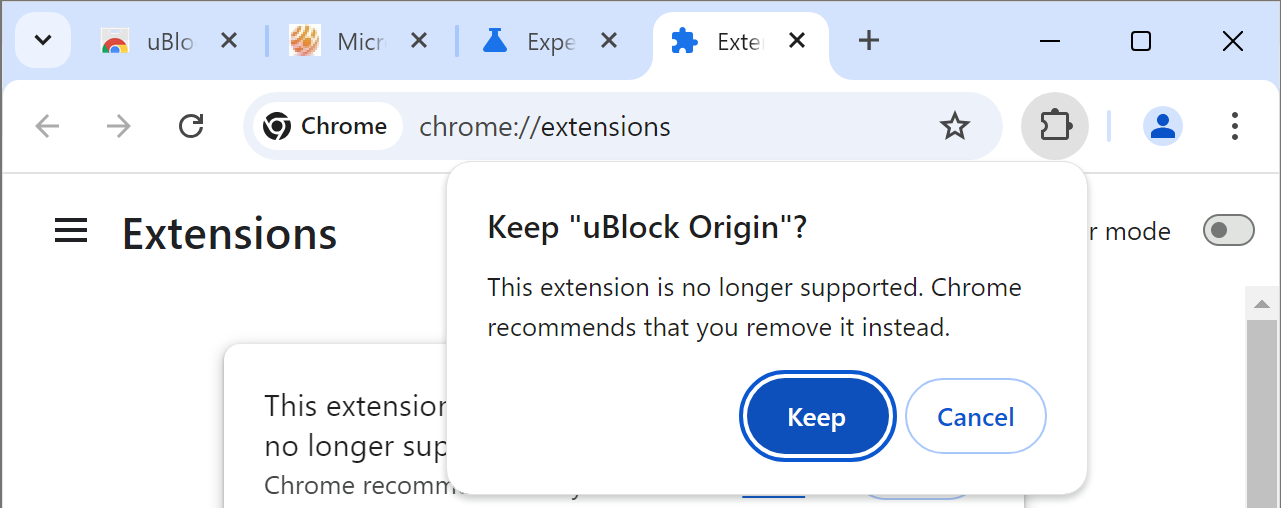
- Pick the Keep option.
- Confirm Keep again when the popup appears.
Chrome adds the extension again to the "all extensions" section. Note that it does not enable the extension again. You need to toggle the on/off switch next to the extension for that.
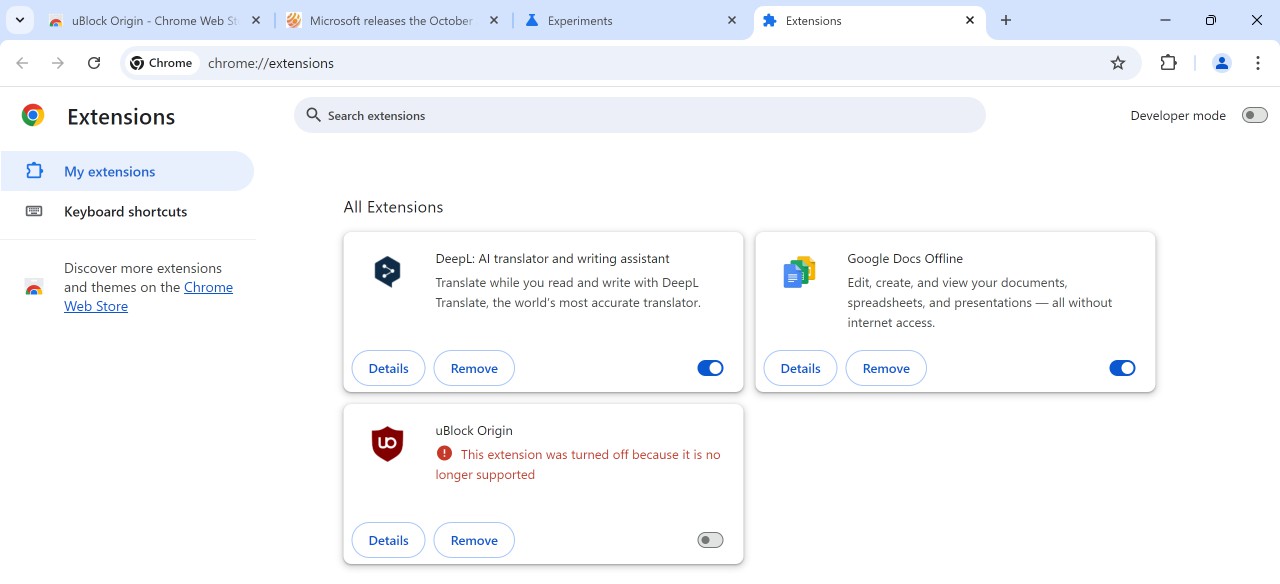
When you do, you get another popup
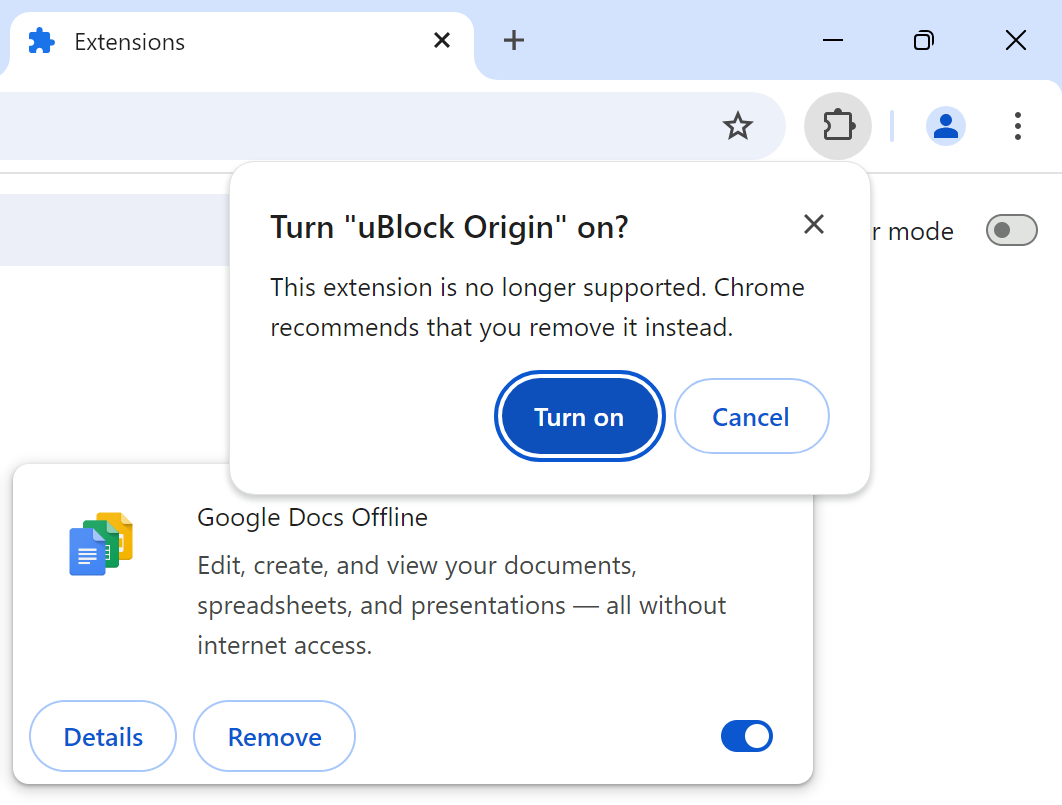
You need to select "Turn on" to enable the extension again in Chrome.
Please note that this is only a temporary solution. Google never said for how long this option remains, but it is likely that the bypass will only work for a few months.
What are your alternatives?
You have a few options to deal with the issue. While you cannot use Chrome anymore, if you want to keep on using the extensions, you need to switch browsers.
- Firefox: the best option. The browser supports old and new extensions alike. Since it is not based on the same source as Google Chrome, it will continue to support extensions such as uBlock Origin fully. Firefox forks, like Mullvad Browser, work as well.
- Brave: for uBlock Origin users. Brave promised to keep a few popular extensions supported, including uBlock Origin. If you want to keep on using a Chromium-based browser and uBlock, this is your option.
If you just want ad-blocking, you have more options.
- You can pick a Chromium-based browser like Vivaldi, which supports ad-blocking.
- You can install uBlock Origin Lite. Developed by uBlock Origin's creator, it blocks ads well. Downside is that it lacks some of the advanced options of uBlock Origin.
Closing Words
Will Chrome users switch in noticeable numbers to other browsers? Only a fraction of users are affected, and it seems likely that usage numbers won't change much. While ad-blocking is not dead in Chrome, it is certainly less effective once the change lands.
Do you still use Google Chrome? Feel free to leave a comment down below.
More like this
-
AdGuard Temp Mail: new temporary email service launched
 AdGuard Temp Mail: new temporary email service launchedRead more
 -
Meet Operator: The Advanced AI Tool That Can Make Purchases and Manage Expenses
Meet Operator: The Advanced AI Tool That Can Make Purchases and Manage ExpensesRead more
-
Star Wars: Zero Company officially announced; turn-based tactics game set during the Clone Wars
Star Wars: Zero Company officially announced; turn-based tactics game set during the Clone WarsRead more
-
Windows 11: Green Screen of Death is rolling out, what you need to know
Windows 11: Green Screen of Death is rolling out, what you need to knowRead more
-
Microsoft Windows Security Updates for May 2025 are now available
Microsoft Windows Security Updates for May 2025 are now availableRead more