Latest Windows 11 update is reportedly causing freezes and lags for some users
Latest Windows 11 update is reportedly causing freezes and lags for some users
If you have installed the latest batch of Windows 11 Updates and could boot fine into the system after installation, congratulations. Reports suggest that the update is causing issues on some systems.
The details:
- Microsoft released the cumulative update KB5041585 for Windows 11 version 22H2 and 23H2 on Tuesday.
- The updates fix security issues and non-security issues..
- Users affected by the issue say that the update is slowing down their systems to a crawl.
- Others say that the update would not even install.
A thread on Reddit points out the issues that users experience when they install the latest Windows 11 updates on their devices.
Some excerpts:
- "I don't know what in the world happened with this update, but it's completely screwed up my laptop. Slow, laggy, extremely delayed response time, Minecraft realms won't even show and no sound at all on the app" writes Silly_Lawyer_1574.
- "Finally, after waiting forever and a day, it let's me log in but then nothing is working. I finally got it to let me shut down after like 20 mins of trying" says user Spirite_Season2332
- "For whatever reason, the update somehow failed to install. I tried again and then it said that it would try again. I'm going to restart and check to see what's up" writes DestinyDecade.
- "The CPU is almost constantly at 100%, everything is super slow, laggy, I get timeouts left and right." writes doriman.
It goes on like that. It is unclear what is causing this. The users have not posted information about their devices and Microsoft has yet to acknowledge that there is an issue with the update.
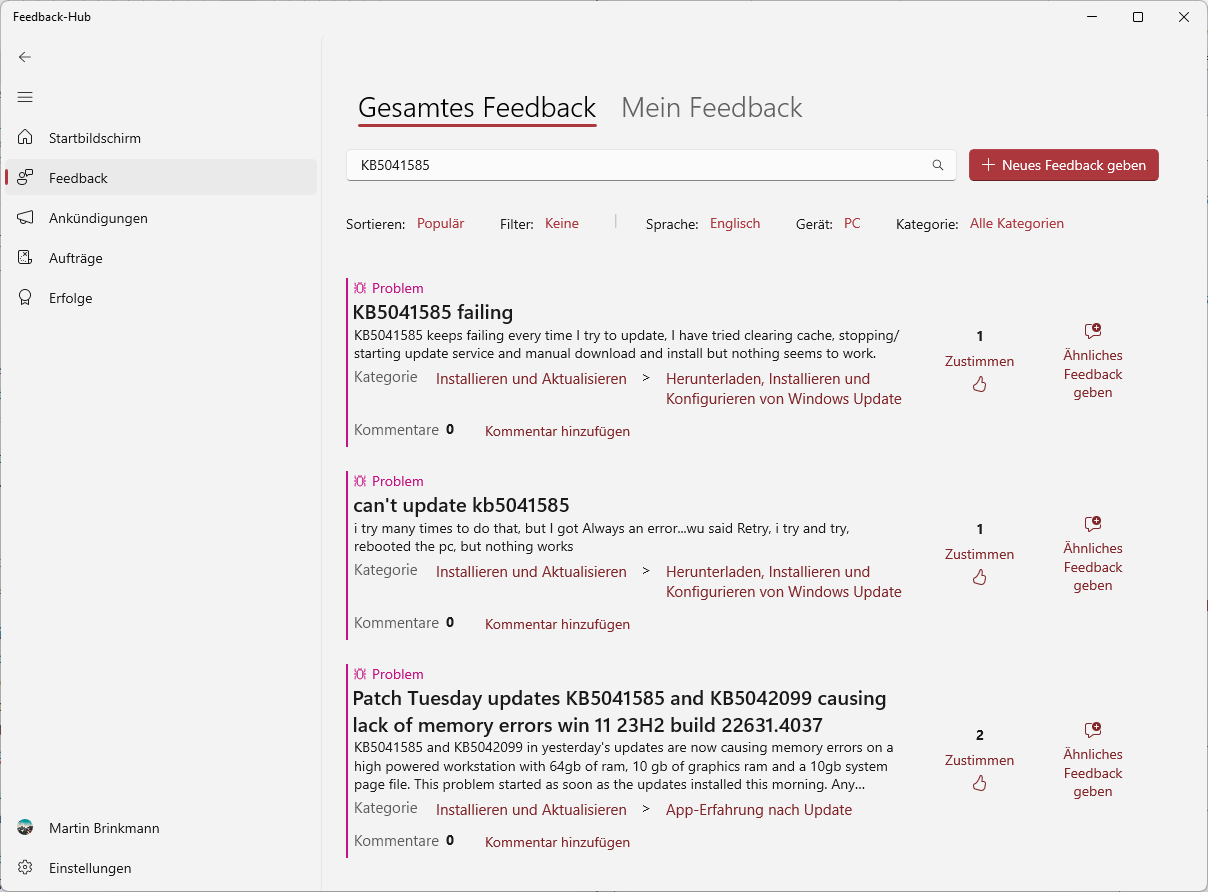
A quick Feedback Hub shows several reports about the issue. Two users say that it is failing to install, another that it is causing lack of memory errors. Not a lot at this point.
Microsoft did not confirm any new issues when it released the update.
What you can do
If you have not installed the new Windows 11 update yet, you may want to make sure that you create a system backup before you install the cumulative update. This allows you to restore the full system should the update cause issues on the device.
My recommendation is the free Paragon Backup & Recovery Free, but any backup software with full system backup capabilities will do.
If you have installed the update already and experience issues, you may want to uninstall it and block it from being installed again.
Check out our guide on uninstalling Windows Updates for that.
You could also postpone the installation of the update and monitor reports as well as the official release health website for updates.
What about you? Have you installed the latest Windows updates already? Did you run into any issues, or did they install just fine and without noticeable issues? Let us know in the comments below. (via Windows Area)
More like this
-
Firefox 120.0.1 update fixes issue that caused 100% CPU usage on some sites
 Firefox 120.0.1 update fixes issue that caused 100% CPU usage on some sitesRead more
 -
Google Chrome update fixes 0-day vulnerability exploited in the wild
Google Chrome update fixes 0-day vulnerability exploited in the wildRead more
-
Stay Secure: Unmasking Fake Virus Alerts with AVG AntiVirus FREE
Stay Secure: Unmasking Fake Virus Alerts with AVG AntiVirus FREERead more
-
Firefox 127 out with DNS Prefetching, security updates, and more
Firefox 127 out with DNS Prefetching, security updates, and moreRead more
-
Spotify's new snooze button will remove songs from your recommendations for a month
Spotify's new snooze button will remove songs from your recommendations for a monthRead more