WhatsApp for iOS adds support for Passkeys
WhatsApp for iOS adds support for Passkeys
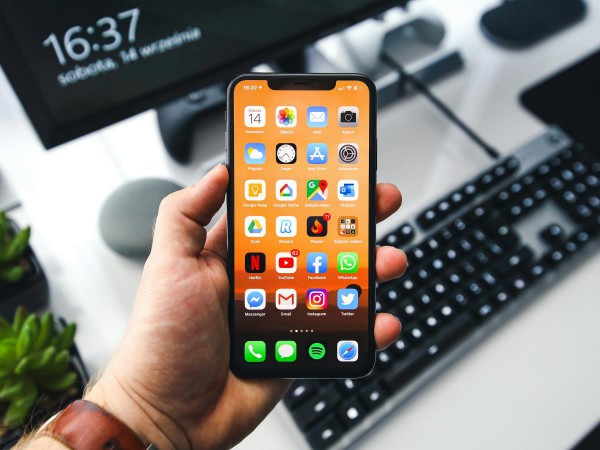
WhatsApp has announced that it is rolling out Passkeys support on iOS. The Meta owned messaging company originally introduced the passwordless login option for Android users in October last year.
Passkeys have grown in popularity since they were introduced, primarily due to the fact that it uses a more secure method, such as biometric data (fingerprint or Face ID) to login, instead of passwords that can be stolen. Members of the FIDO Alliance including Apple, Microsoft, Google have been promoting the use of Passkeys, highlighting the importance of the WebAuthn (Web Authentication) technology, as its security is nearly impossible to hack or phish. That's because the data is stored on the user's device securely. It also replaces insecure systems such as SMS-based two factor verification and weak passwords that a hacker may brute force.
Several companies have added adopted Passkeys, some examples include Amazon, Twitter, GitHub, Nintendo, Sony PlayStation to name a few. Password managers such as 1Password, KeePassXC, and Proton Pass also support the feature. So it's not surprising that WhatsApp has also opted to support the protocol to further protect its users and their data.
How to enable Passkeys for WhatsApp on iOS
1. Open WhatsApp and go to Settings > Account
2. Tap on Passkeys > Create a Passkey.
3. You will be prompted to confirm the process with your Screen Lock, i.e. your device's PIN, Face ID or Touch ID.
This will save the Passkey locally on your device.
Note: If for some reason, you want to delete a Passkey, you can do so by navigating to the Settings > Account > Passkeys, and then tap on the Revoke option.
Now, you may not have access to the Passkey feature yet, that's because it is rolling out to some users now, and will be available to all in the coming weeks.
When you enable a Passkey for your WhatsApp account, you can use it to re-login to the app. The company says that the passwordless login protocol can be used to sign in even when your device is offline.
Alice Newton-Rex, WhatsApp's Head of Product, told Engadget that the company is excited to launch Passkeys support for iOS, as this will allow users to log back into WhatsApp more easily, while providing an added layer of security. A support page on the messaging service's website says that Passkeys are supported on all iPhone models (iPhone 8 or newer) that are running on iOS 16 or above.
The Verge received a statement from WhatsApp spokesperson Zade Alsawah, who said that desktop users will still be asked to use their phone's camera to scan a QR code, when trying to use the Linked devices option. This restriction is in place because Mac, Windows PCs, and WhatsApp Web cannot be a primary device for an account. That is a rather strange limitation, especially because many web services including Gmail, Microsoft, let you save a Passkey on your computer, and access it using Windows Hello or Touch ID.
On a similar note, Bitwarden Password Manager has also announced Passkeys support for its mobile apps on iOS and Android, though it is still part of a beta test.
More like this
-
Samsung Gaming Hub's first third-party accessory is an Xbox-like controller
 Samsung Gaming Hub's first third-party accessory is an Xbox-like controllerRead more
 -
How to enable Stolen Device Protection on iPhone
How to enable Stolen Device Protection on iPhoneRead more
-
Windows 11 24H2 to enforce hardware requirement
Windows 11 24H2 to enforce hardware requirementRead more
-
Windows 10: Microsoft reveals ESU price tag for home users and a big catch
Windows 10: Microsoft reveals ESU price tag for home users and a big catchRead more
-
Windows 10: ESU-bypass to extend updates is working already reportedly
Windows 10: ESU-bypass to extend updates is working already reportedlyRead more