There is an explanation for the HP Smart app Windows auto-installation issue
There is an explanation for the HP Smart app Windows auto-installation issue
The unwanted installation of Hewlett Packard's printer software HP Smart on Windows 10 and 11 devices caused confusion in the past couple of days. Windows users, even those without HP printers or other HP devices, started to notice the installation of the HP Smart software on their devices.
The incident puzzled affected users, especially those without HP printers connected to their devices. A deeper analysis of affected systems revealed that Windows did change the make and model of some printers on the system.
Printers were suddenly listed as HP LaserJet M101-M106 internally. This affected physical and also virtual printers. Microsoft Print to PDF is one of the default virtual printers of the operating system. It can be used to turn any document into a PDF file.
This virtual printer would suddenly report itself as a printer from HP with the model ID HP LaserJet M101-M106. Other installed printers, physical and virtual, would also have that internal identification.
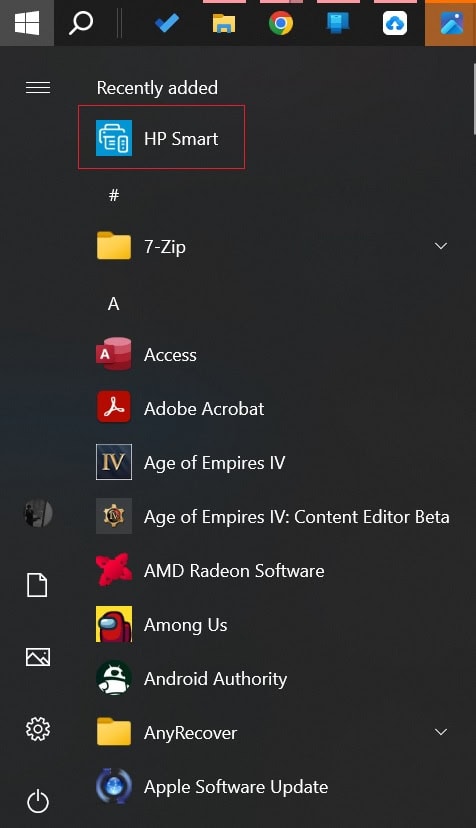
While printers continued to work as expected, Windows initiated the installation of the HP Smart software because of the change. This software is created for HP printers and it appears to be installed automatically by Windows if a supported printer is detected on the system.
Remove HP Smart
HP Smart may be installed on user devices, but it can be uninstalled easily. Here is how that is done:
- Use the keyboard shortcut Windows-I to open the Settings, or select Start > Settings.
- Open Apps > Installed Apps.
- Search for HP Smart.
- Click on the three dots on the right side of the HP Smart entry and select Uninstall.
- Select uninstall again, if the prompt appears.
The software is now removed from the device.
Tip: you can also use a third-party app like O&O AppBuster to remove Windows apps.
Microsoft has yet to acknowledge the issue or provide guidance for affected users. It is unclear if it is still ongoing or if Microsoft has put an end to it already.
An easy way to find out if you are affected is to type HP Smart in the Start Menu. Windows will return the app only if it is installed on the device.
The only apparent downside for affected users is that an app was pushed to the system without permission. The app doesn't appear to interfere with printing, but it is still recommended to remove it immediately.
Now You: was HP Smart's software installed on your devices? (via WinFuture / Windows Latest)
More like this
-
Firefox 120.0.1 update fixes issue that caused 100% CPU usage on some sites
 Firefox 120.0.1 update fixes issue that caused 100% CPU usage on some sitesRead more
 -
Delta emulator is now available on the iOS App Store, but not for EU users
Delta emulator is now available on the iOS App Store, but not for EU usersRead more
-
Chrome 134 ships with security patches and new password change functionality
Chrome 134 ships with security patches and new password change functionalityRead more
-
Apple Maps on the web exits beta, adds support for Android devices
Apple Maps on the web exits beta, adds support for Android devicesRead more
-
OpenAI's latest AI models are generating alarming levels of misinformation
OpenAI's latest AI models are generating alarming levels of misinformationRead more